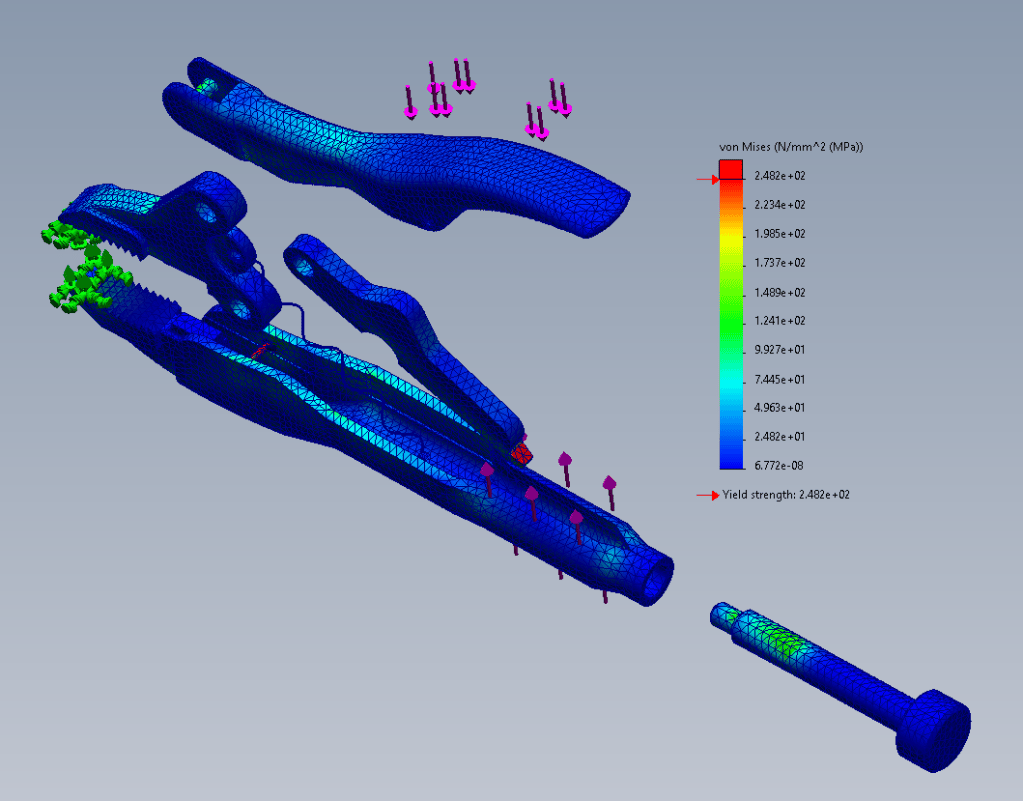
- This lesson covers contact hierarchy, pin and spring connectors.
- Apply material to pin connectors to analyze their strength.
- Create springs with preload to account for spring tension.
- Use contact hierarchy to control contacts.
This example uses a wrench assembly made of cast carbon steel to demonstrate how connectors (pins and springs) and local interaction definitions are used to simplify and accurately model the complex contact behavior between moving parts in an assembly analysis.
Mesh plot
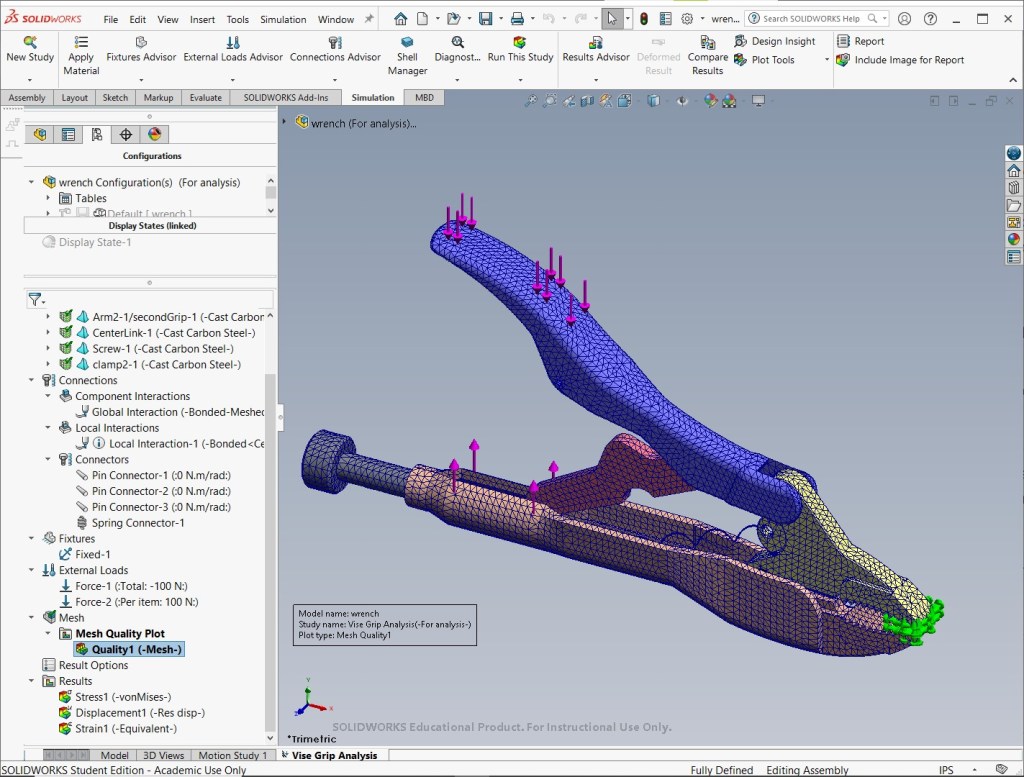
The spring connector is used to simulate spring tension with a defined preload, which applies an initial force to the components being clamped by the vise grip.
Contact hierarchy is managed by defining various interactions (global, local, etc.). The local interaction properties specify rules that refine contact definitions and control the simulation, such as the maximum distance between components for the solver to actively look for and calculate contact forces.
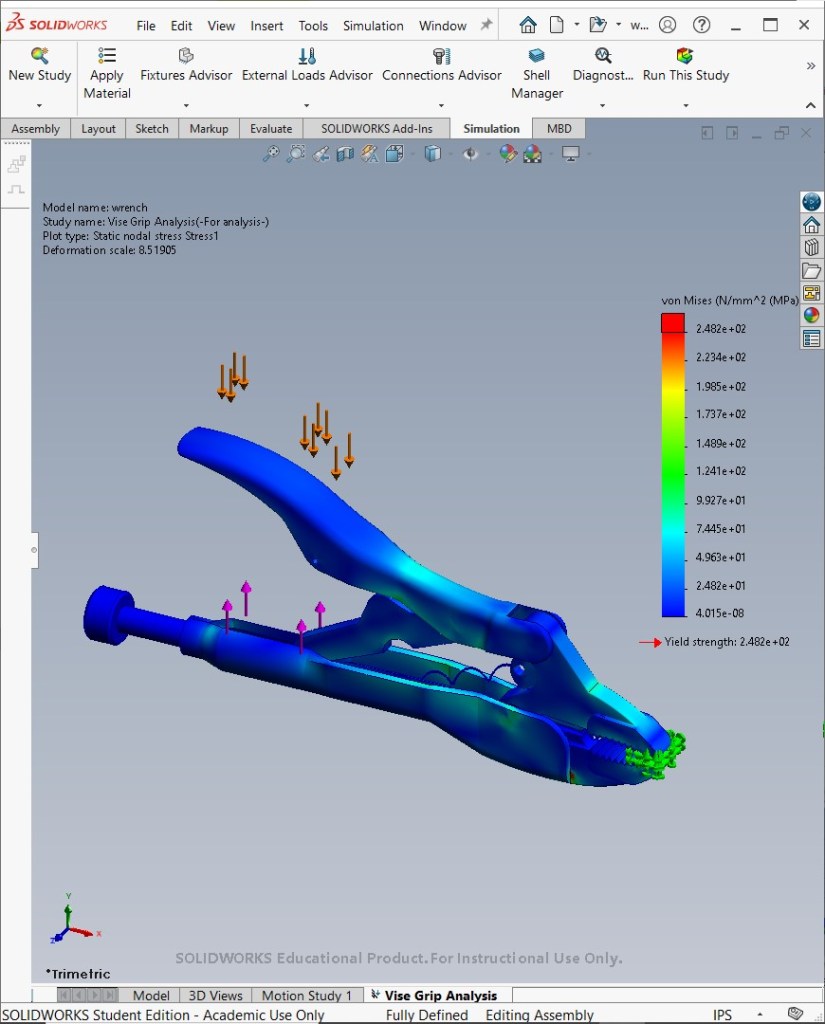
Stress plot
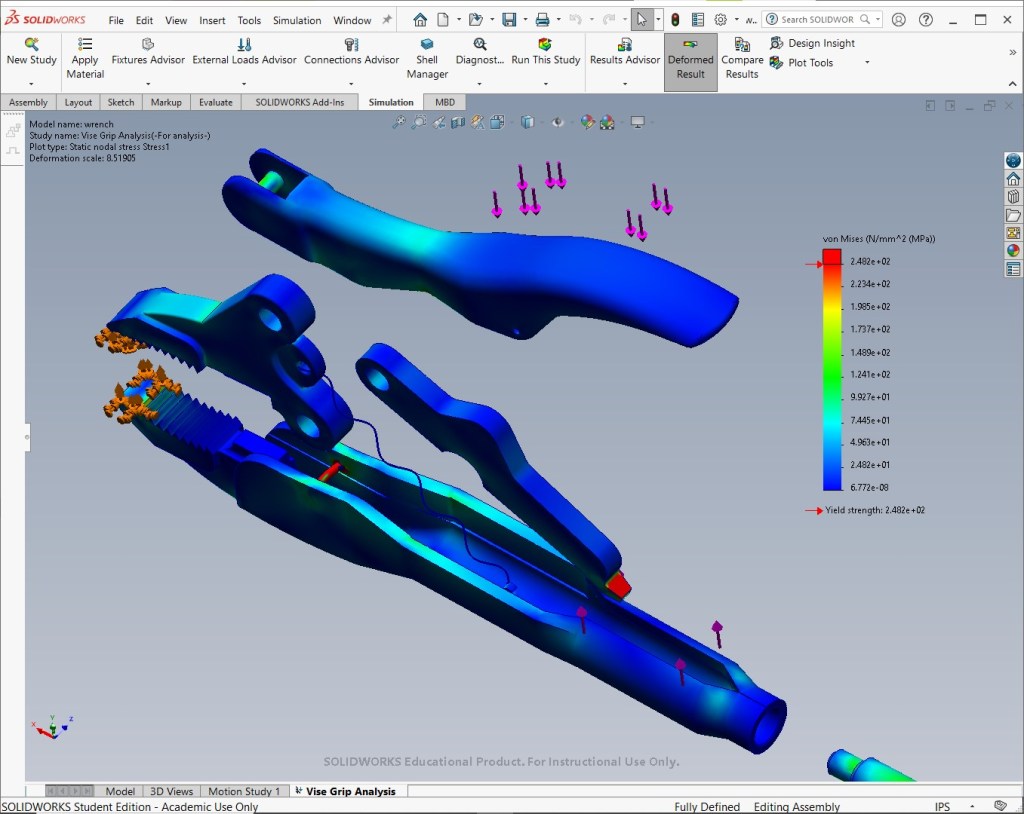
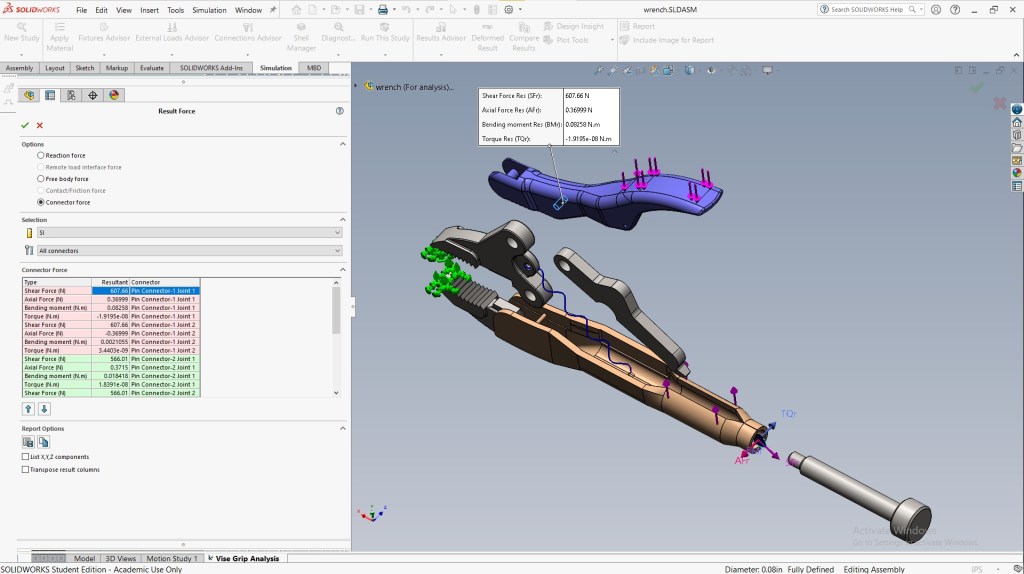
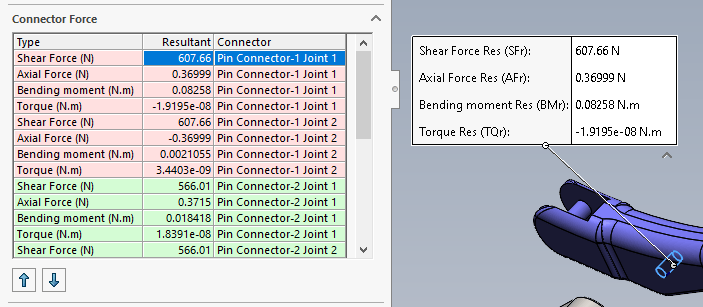
Connector forces
Source
- MySolidWorks Training
- Learning Path: SW Simulations
This content (including the analysis setup, simulation execution, and all resulting visual content—screenshots and videos) was individually performed and generated by me in SolidWorks Simulation, utilizing a combination of custom and existing parts provided by SolidWorks as guided by the MySolidWorks Training curriculum.

