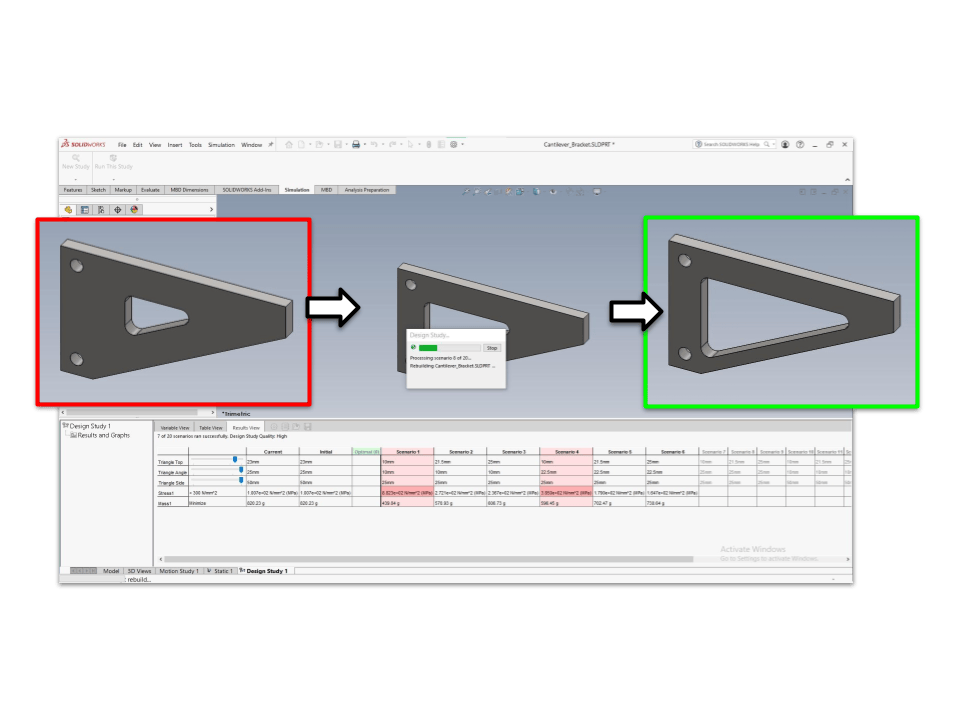
The optimization process systematically adjusts model dimensions to achieve a specific engineering goal, often aiming for improved efficiency or cost reduction.
- Define the goal: Accomplish a specific engineering goal (e.g., weight reduction, shift natural frequency).
- Define the variables: Identify model dimensions to vary (parameters).
- Set the constraints: Apply constraints to ensure the design meets performance requirements (e.g., maximum stress, minimum factor of safety).
- Run a design study: Use a design study to find the optimum combination of variables that meets the goals and constraints.
- Iterate: Repeat the process as needed to refine the design.
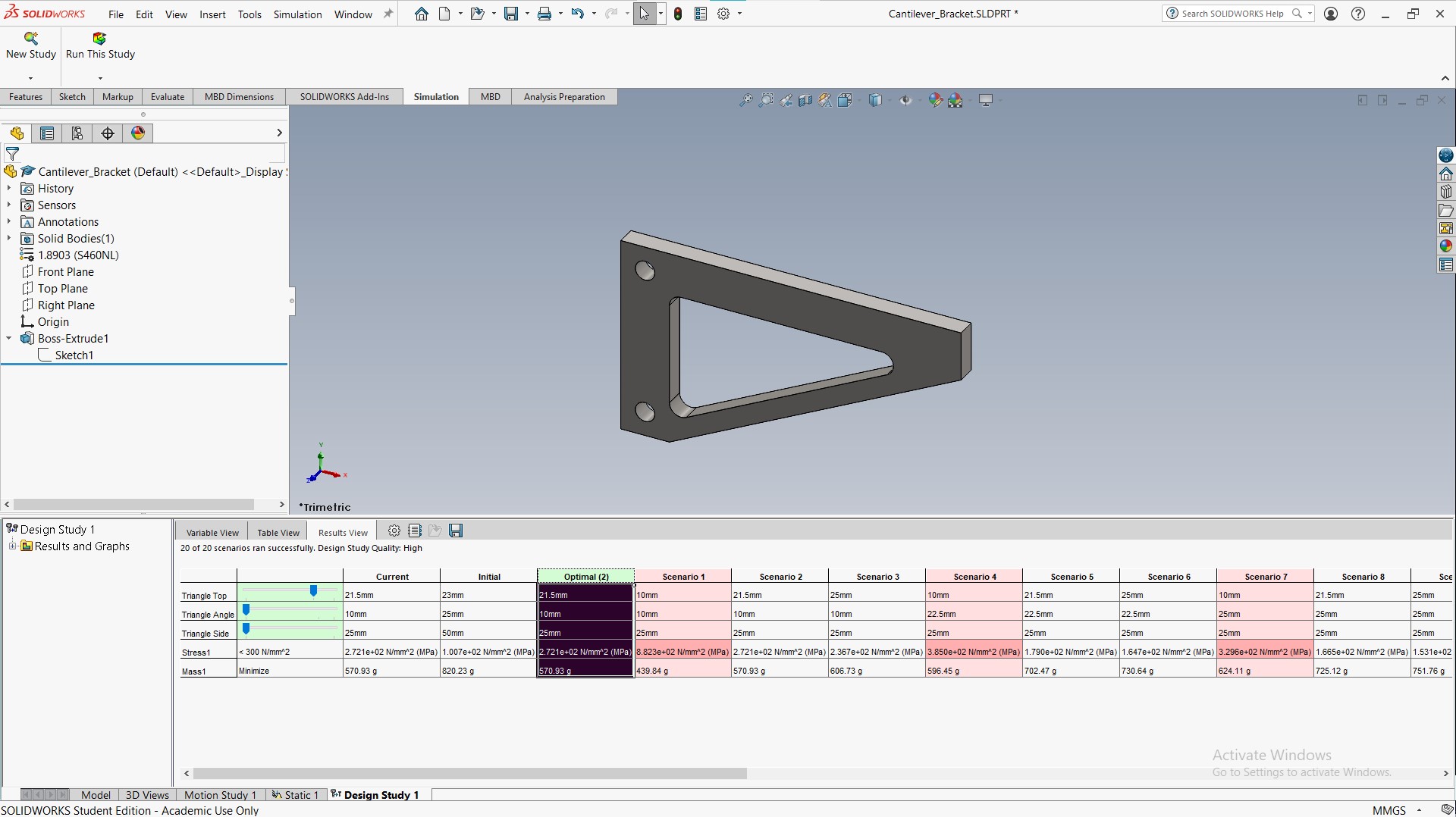
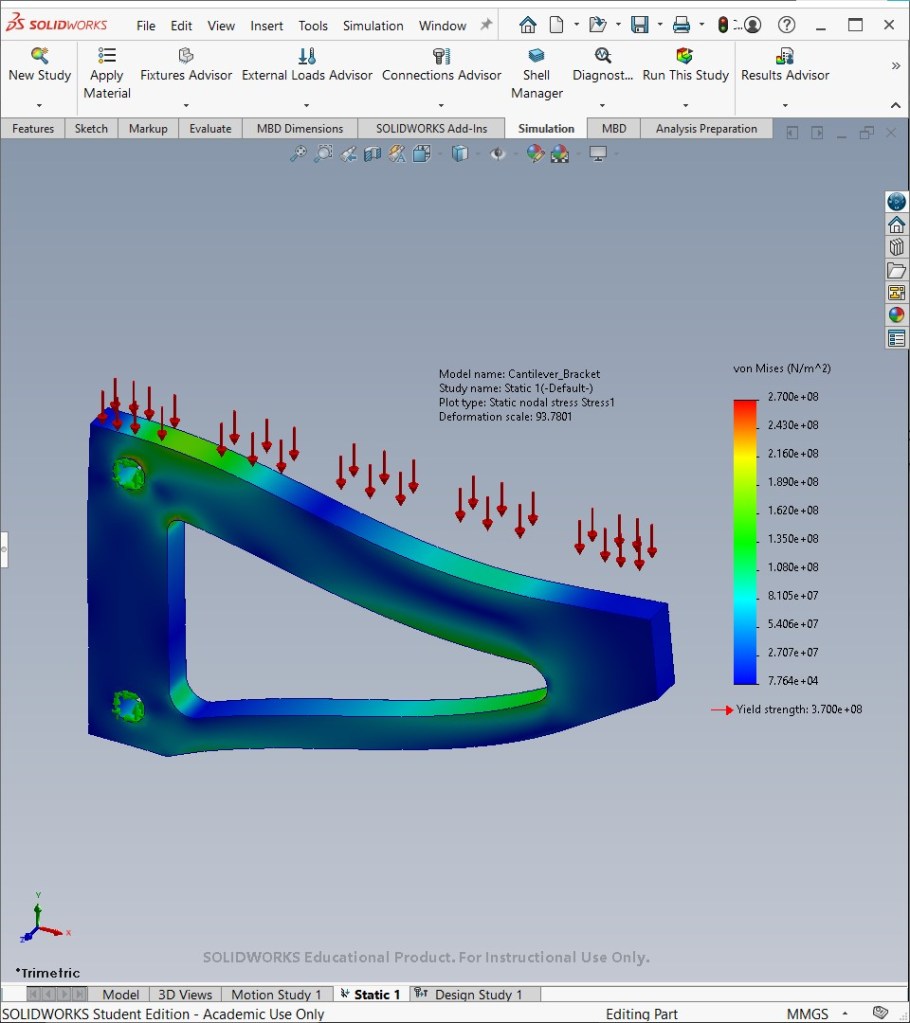
This example demonstrates how a design study is used in SolidWorks Simulation to systematically vary the dimensions of a cantilever bracket’s triangular cutout. The objective is to minimize the mass of the part, while ensuring the maximum von Mises stress remains below 300 MPa.
Initial geometry
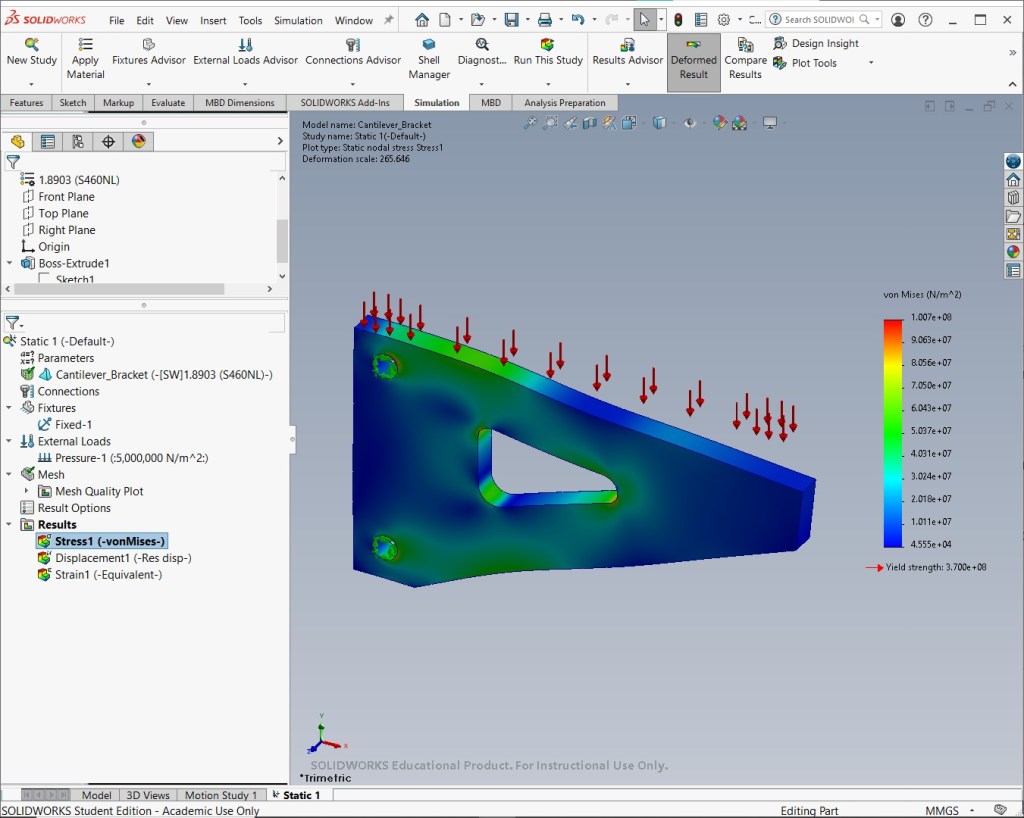
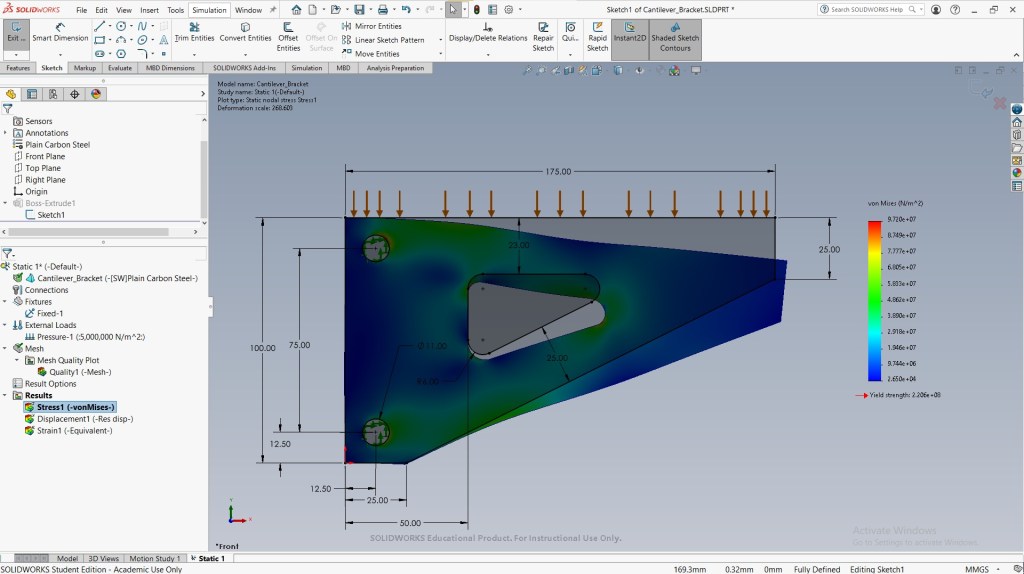
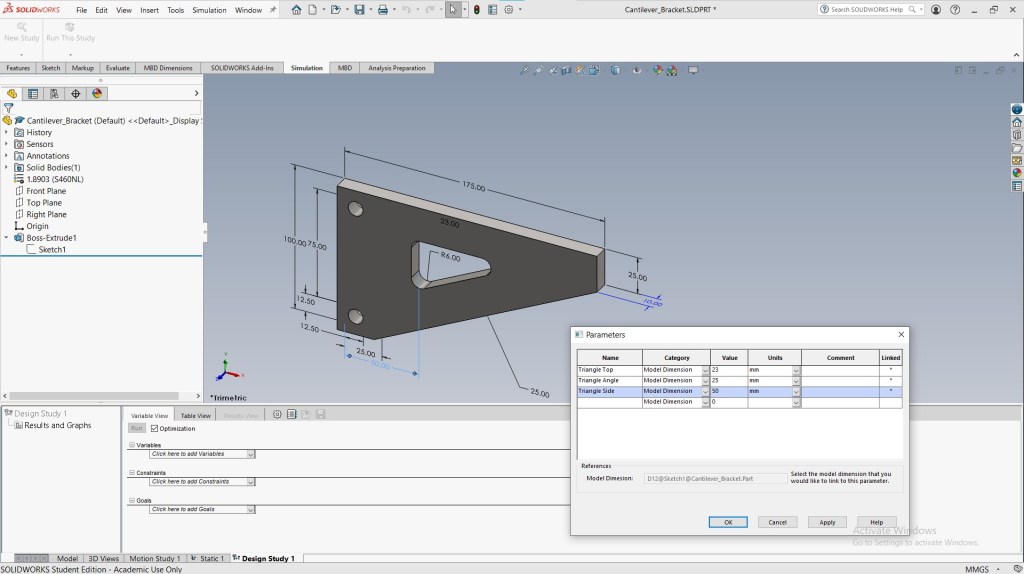
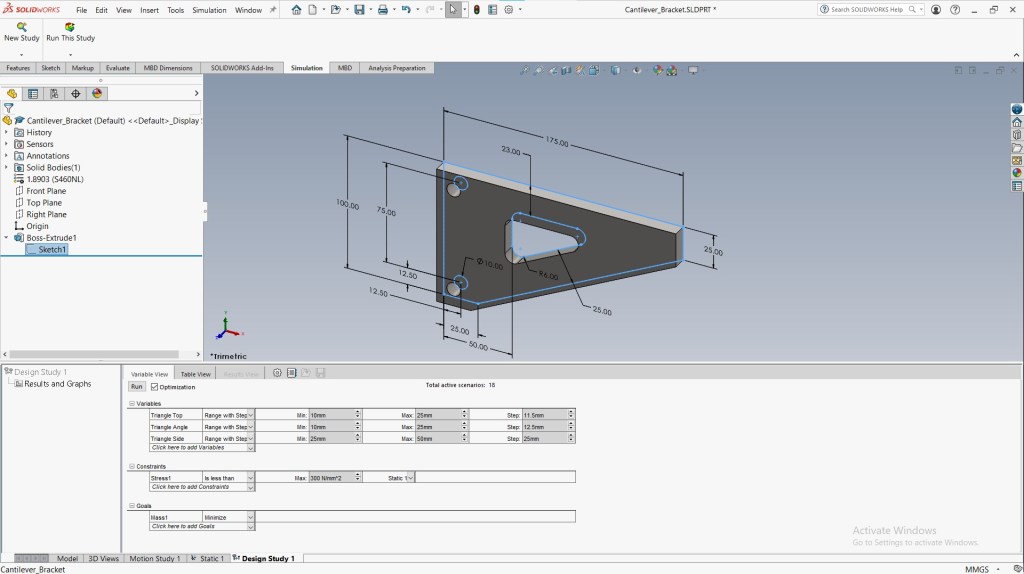
Design study
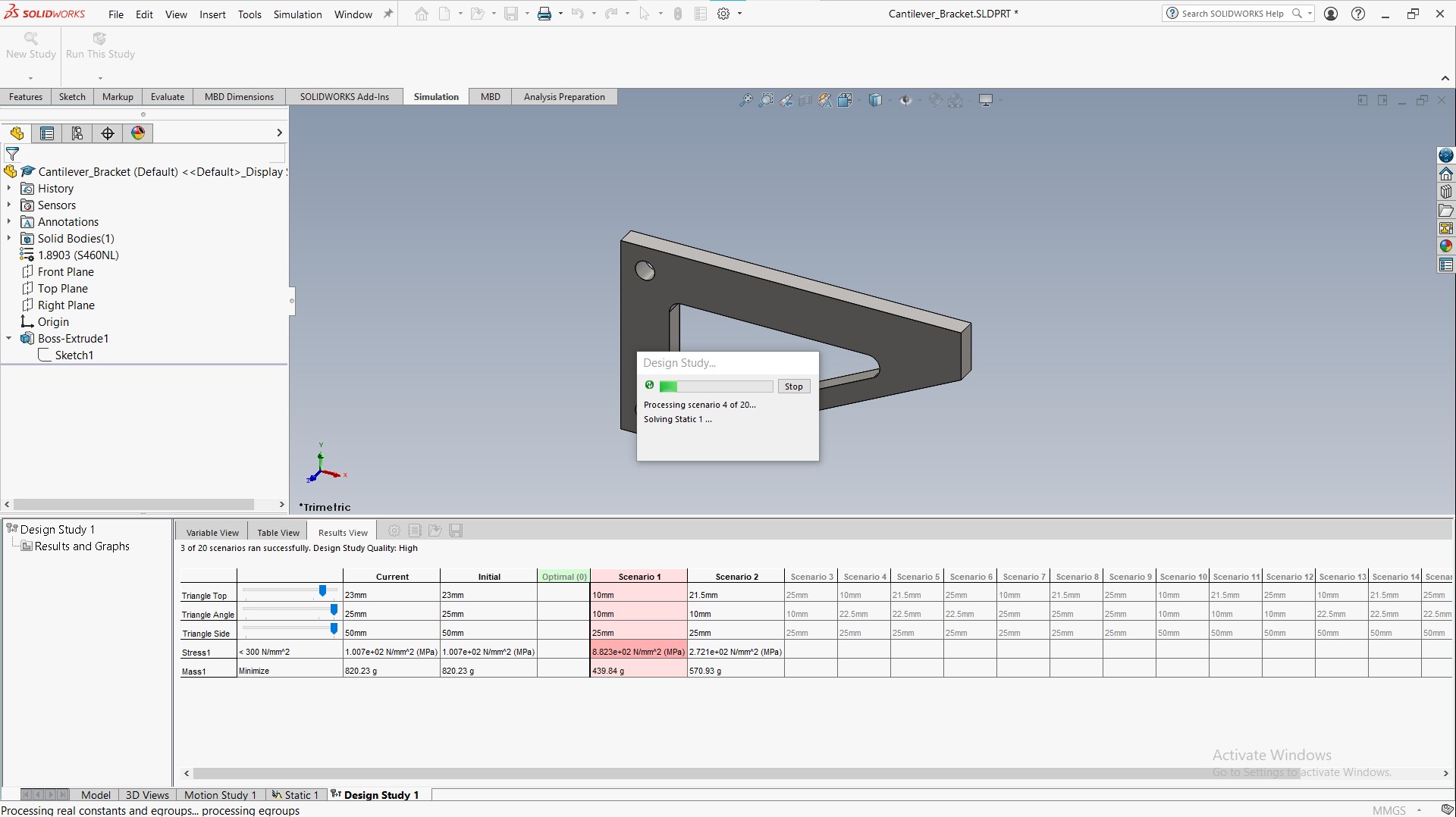
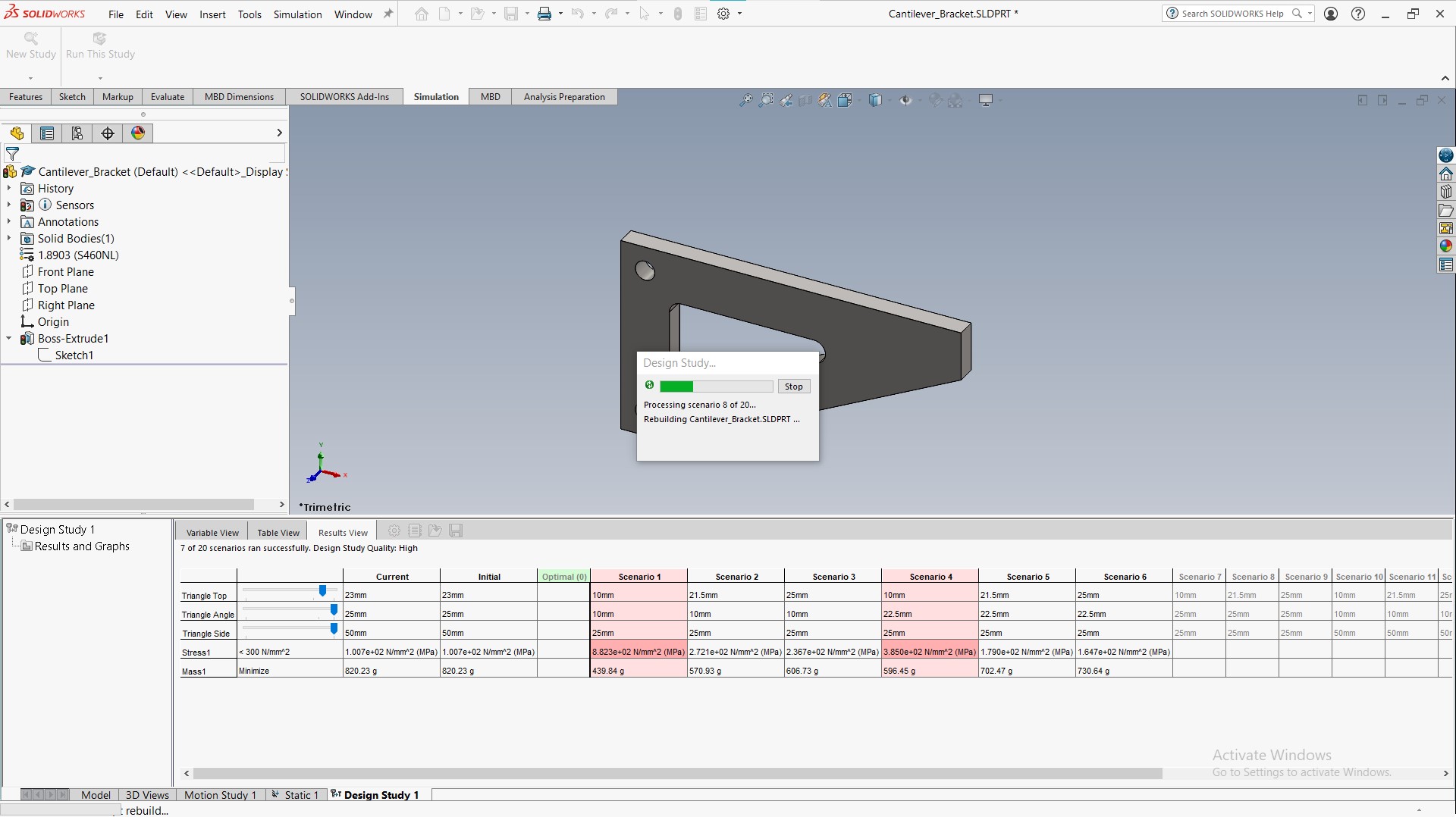
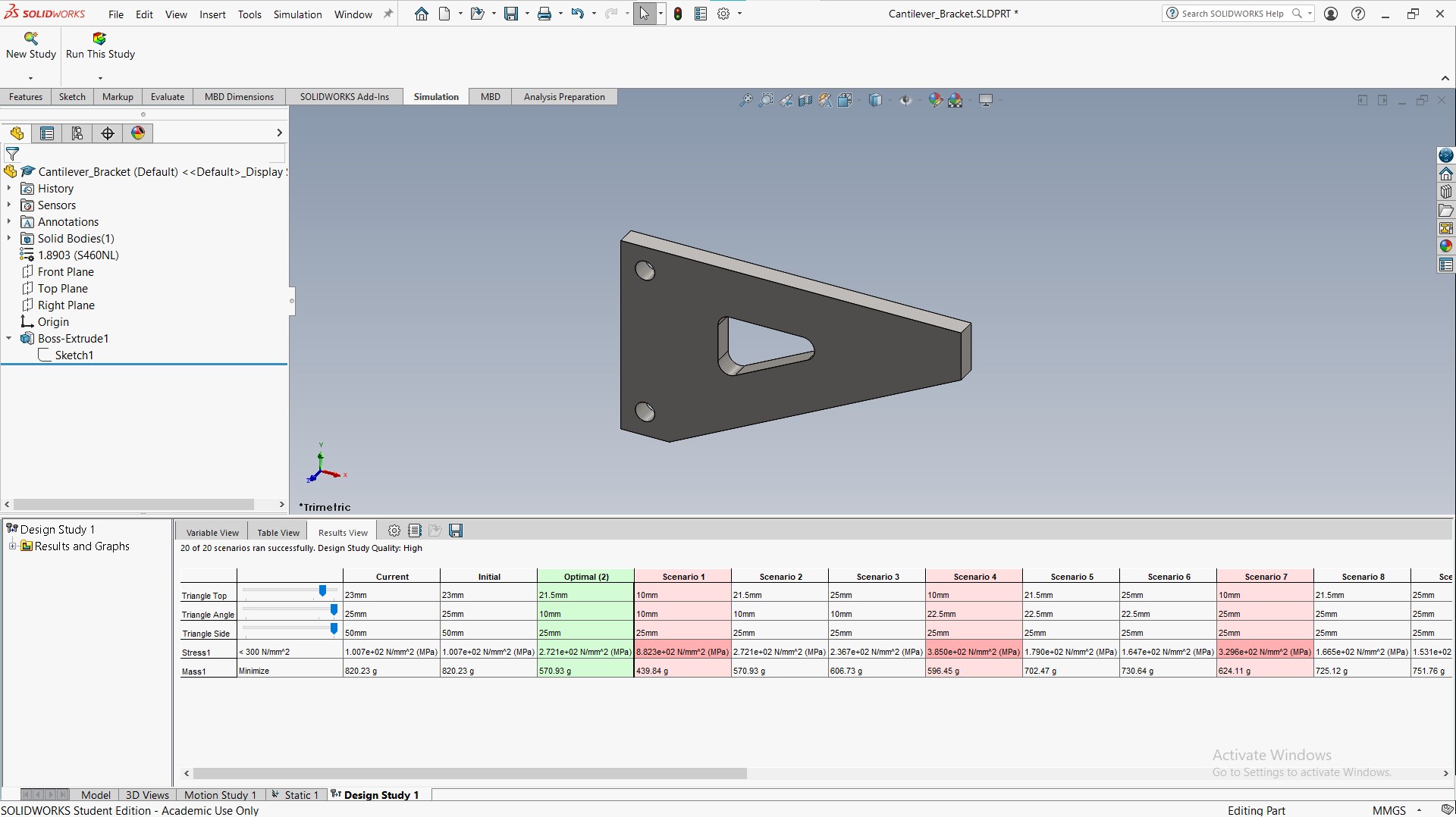
Run the design study to optimize performance. SolidWorks tests multiple scenarios with different combinations of design variables.
Optimized geometry
Source
- MySolidWorks Training
- Learning Path: SW Simulations
This content (including the analysis setup, simulation execution, and all resulting visual content—screenshots and videos) was individually performed and generated by me in SolidWorks Simulation, utilizing a combination of custom and existing parts provided by SolidWorks as guided by the MySolidWorks Training curriculum.

