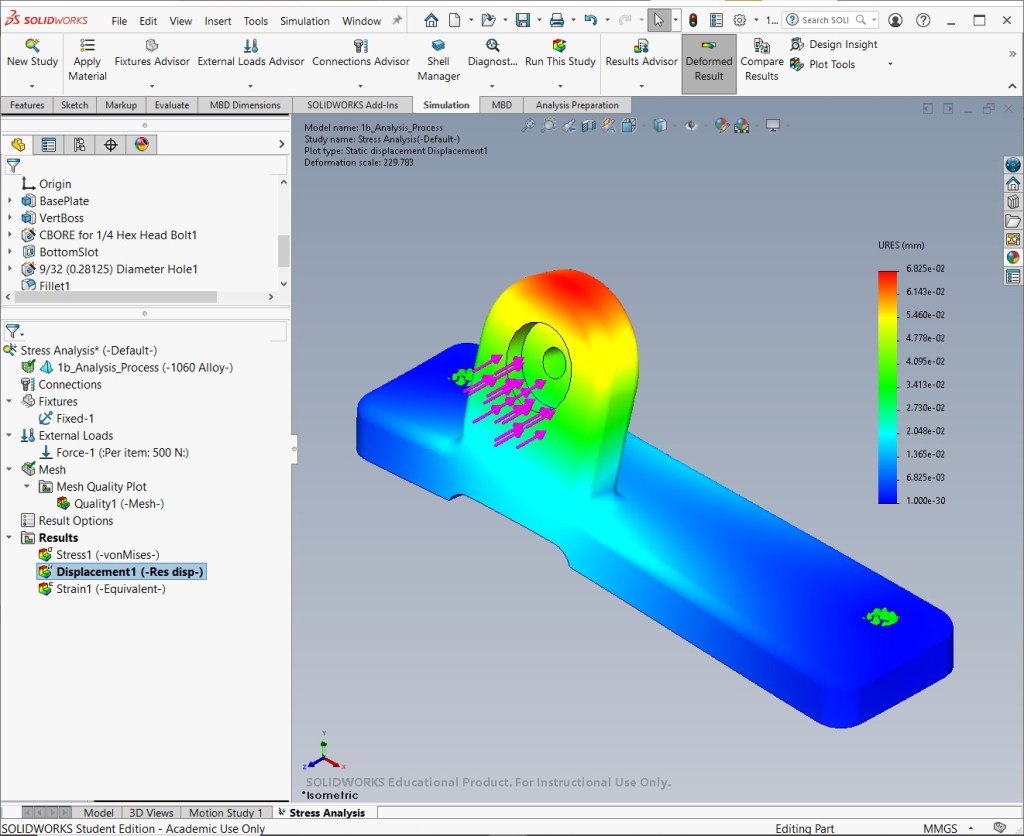
The static analysis process evaluates a model’s performance under constant loads and constraints.
- Define Study & Material: Add material properties to components and create a study.
- Define Connections: Define connections between components and connectors (e.g., bolts).
- Apply Boundary Conditions: Apply fixtures and loads.
- Mesh Model: Create a mesh, which breaks objects down into small, simple elements.
- Review Results: Calculate the results and generate graphical plots for analysis.
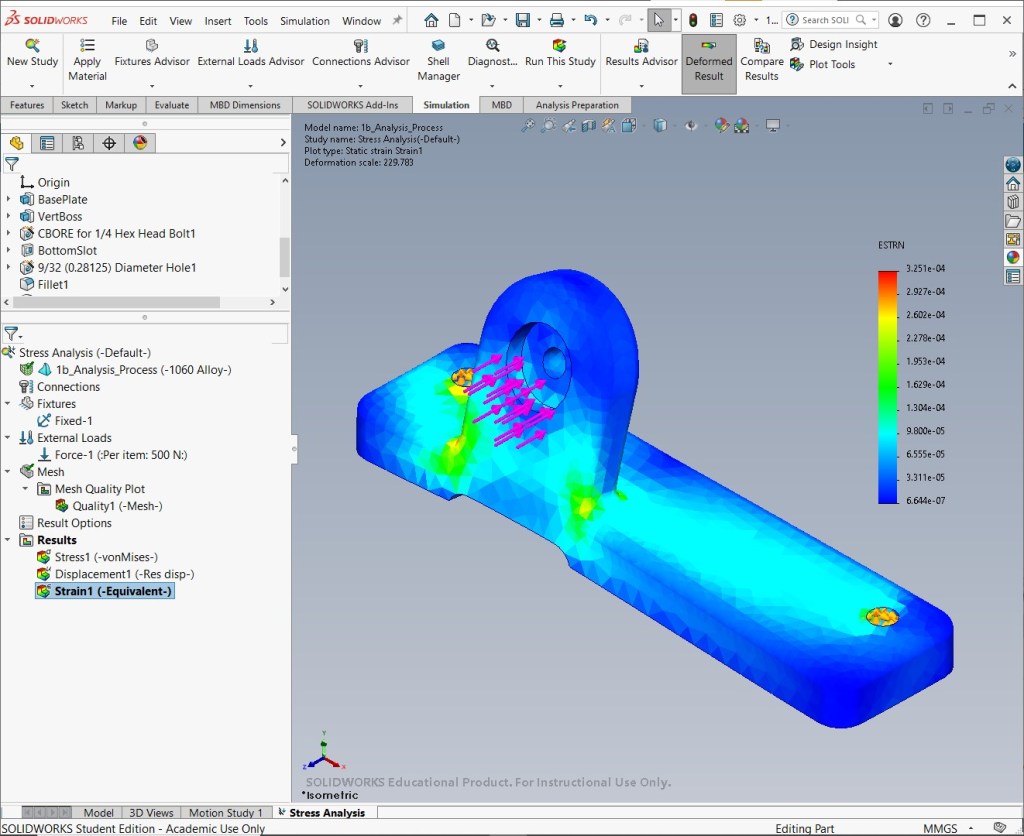
This example demonstrates a static stress analysis on a 1060 Alloy component, which is fixed at one end and loaded with a 500 N force at the primary attachment point.
Mesh plot
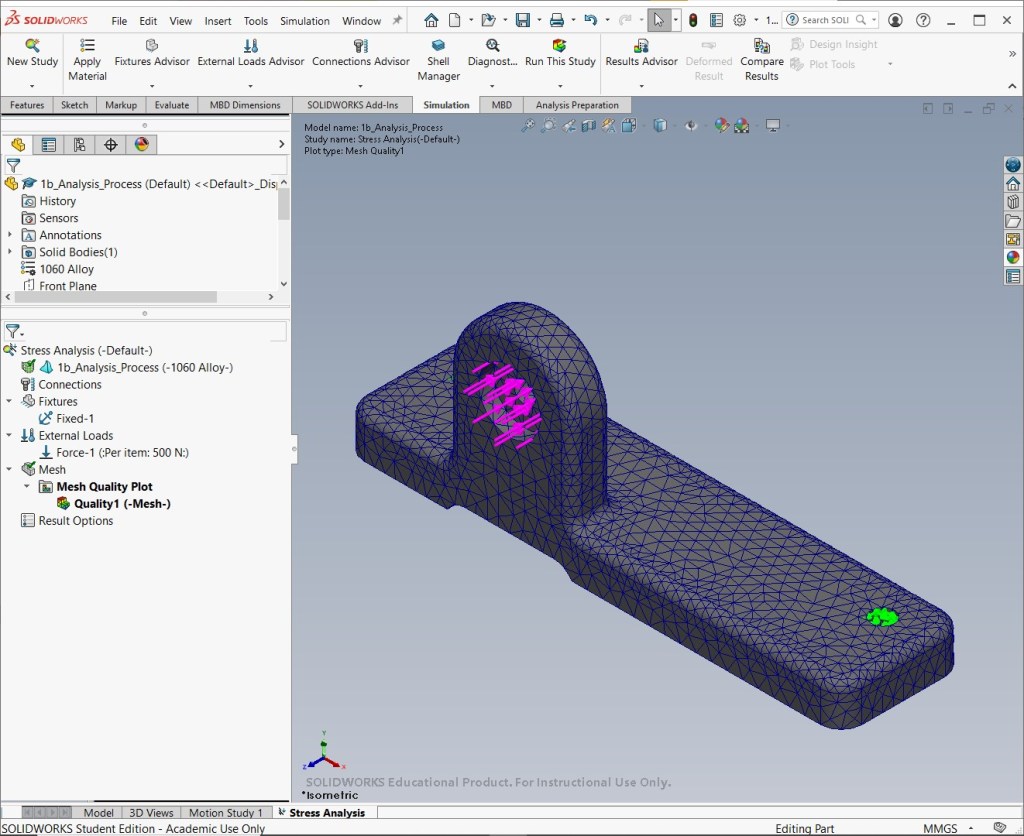
Stress plot
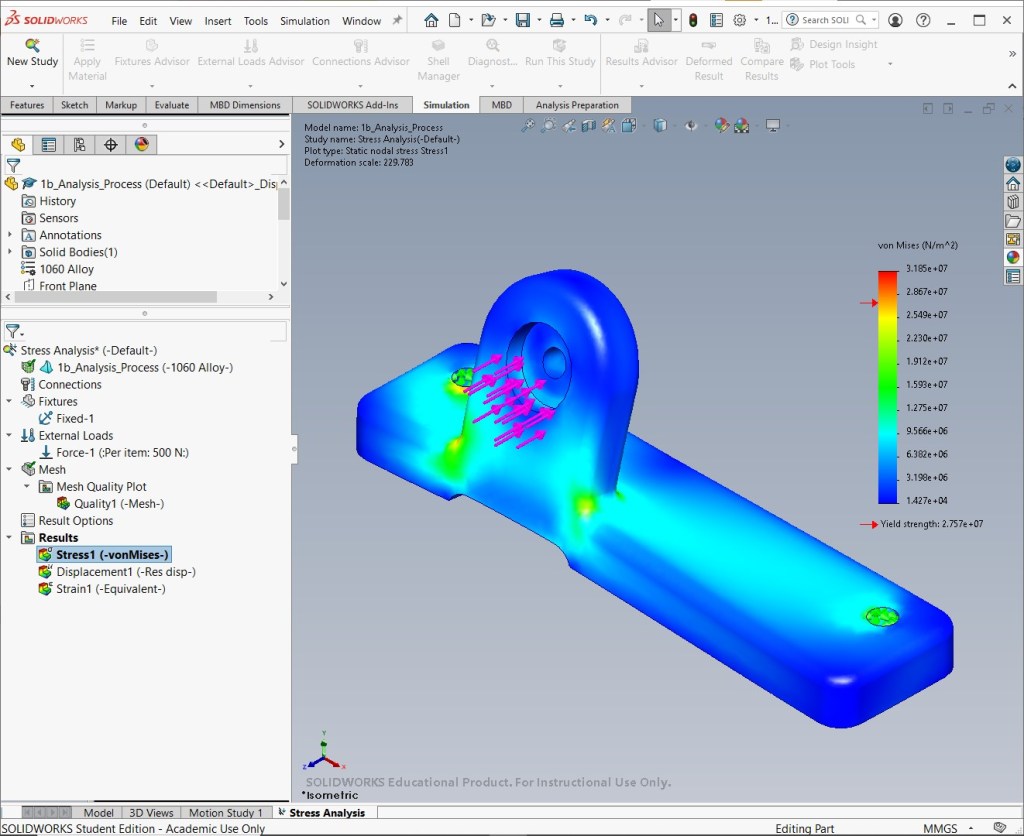
Displacement plot
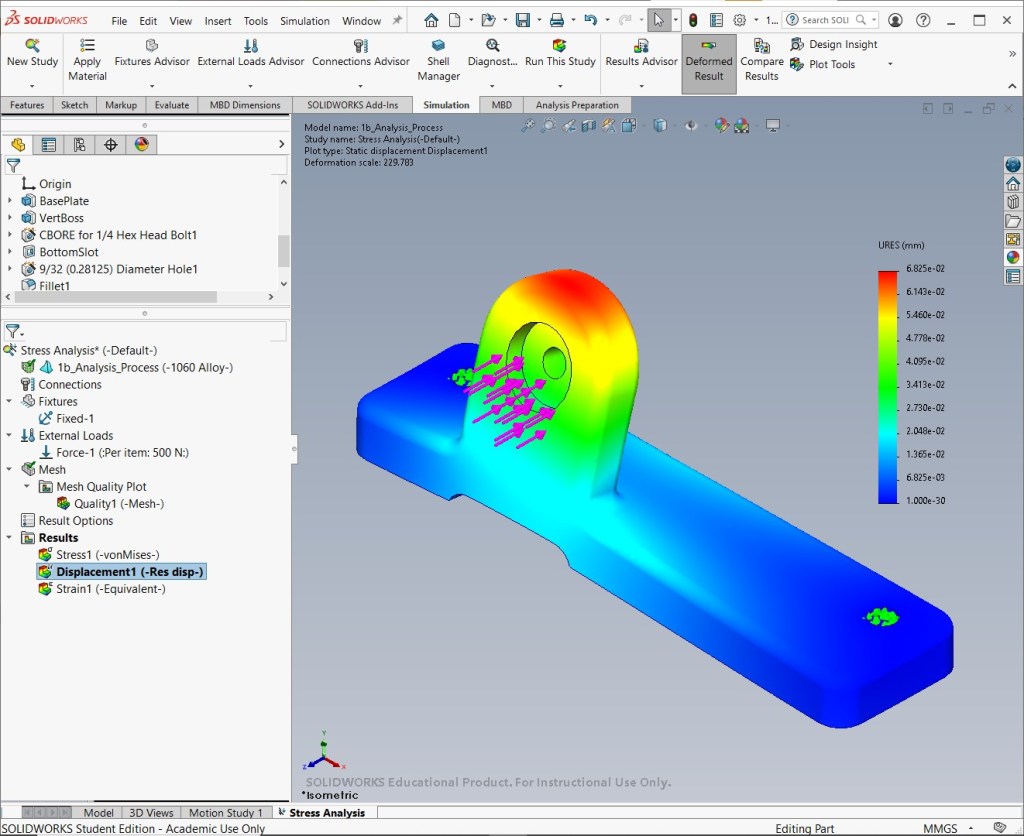
Strain plot
Source
- MySolidWorks Training
- Learning Path: SW Simulations
This content (including the analysis setup, simulation execution, and all resulting visual content—screenshots and videos) was individually performed and generated by me in SolidWorks Simulation, utilizing a combination of custom and existing parts provided by SolidWorks as guided by the MySolidWorks Training curriculum.

